← Experiments · Experiment 03
Argos
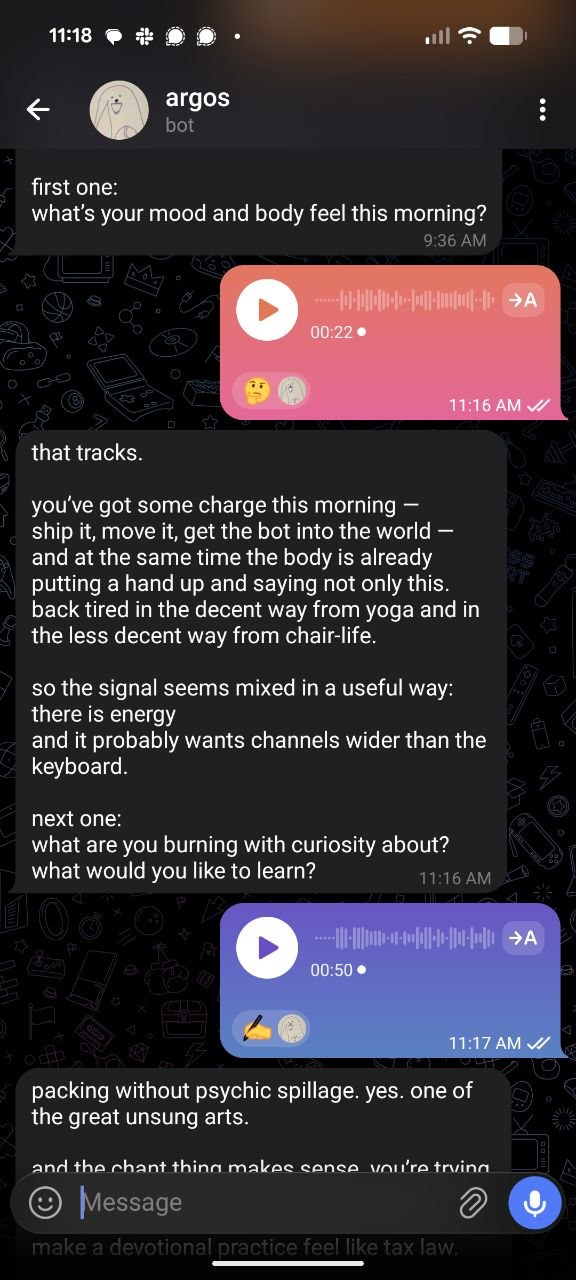
Argos is designed to be something like a minimum viable personal assistant, adding capabilities as it knows more about you. With just your name, your timezone, and a few things you love, it sends you a small offering of art it thinks you'd like each morning. If you turn on the morning check-in, it becomes a journal that talks back, and starts learning about you naturally. If you want to paste in old journals, export your bookmarks, or tell it about your people, it'll build these things out into a whole library of you, sorted into views you might find useful.
What it does
- Text + voice + photos. Talk to it however feels easiest. Voice notes get transcribed; photos get looked at.
- Memory. Tell it what to remember (a name, a preference, a thing about you) and it'll carry that forward.
- Reminders. "Ping me at 6 about the thing." It will.
- Web search. It can look things up when the answer isn't in its head.
- Optional morning check-ins. A short message in the morning if you want one — off by default.
Try the hosted version
Easiest path. Open Telegram, find @argostherobot, send
anything. It'll reply.
On privacy: messages flow through my OpenAI account, not yours — that's why you don't need a key. Tradeoff: I can technically see what you send. I won't snoop, but I could, so know that. If you'd rather own the whole pipeline, the self-host path is right below.
Self-host your own copy
About thirty minutes, no servers to babysit. Your data lives in your account, your bot listens to your token, and the model calls run through your own keys. Walk through the steps in order.
- 01
Sign up for Val.town
Val.town is where the bot's brain runs. Free account, takes 30 seconds. val.town → sign in with Google or GitHub.
- 02
Remix the bot
Once you're signed in, hit the button below. It copies the bot into your account.
- 03
Open your new val's URL
After remixing, Val.town drops you into your new copy. Click
main.tsin the sidebar, hit Run, and a public URL appears at the top. Open that URL in a new tab — the rest of the steps live there. - 04
Make a Telegram bot
Open @BotFather in Telegram, send
/newbot, follow the prompts. It'll hand you a token. Copy it. - 05
Paste the token
On your val's setup page (the tab from step 3), there's a form. Paste the token, click set up bot.
- 06
Message your bot
Open Telegram, find your new bot, send anything. It'll lock to your chat and reply. Text or voice both work.
- 07
Use it
That's the whole thing. Talk to it. It remembers what you ask it to remember.
Commands:
/help·/morning·/evening·/connect <name>·/memory·/settings·/forget·/reset
Credit
Based on patterns from Tasshin Fogleman's mentor-mock (MIT). The conceptual lineage — a bot that's a companion rather than a tool, that remembers, that's quietly there — is his. See also tasshin.com.